
Every swing. Measured.
The Ember Hitting Analyzer measures every swing from your iPhone or iPad. In the cage, or in the game.
$12.99/mo after a 7‑day free trial · iPhone & iPad Check your device
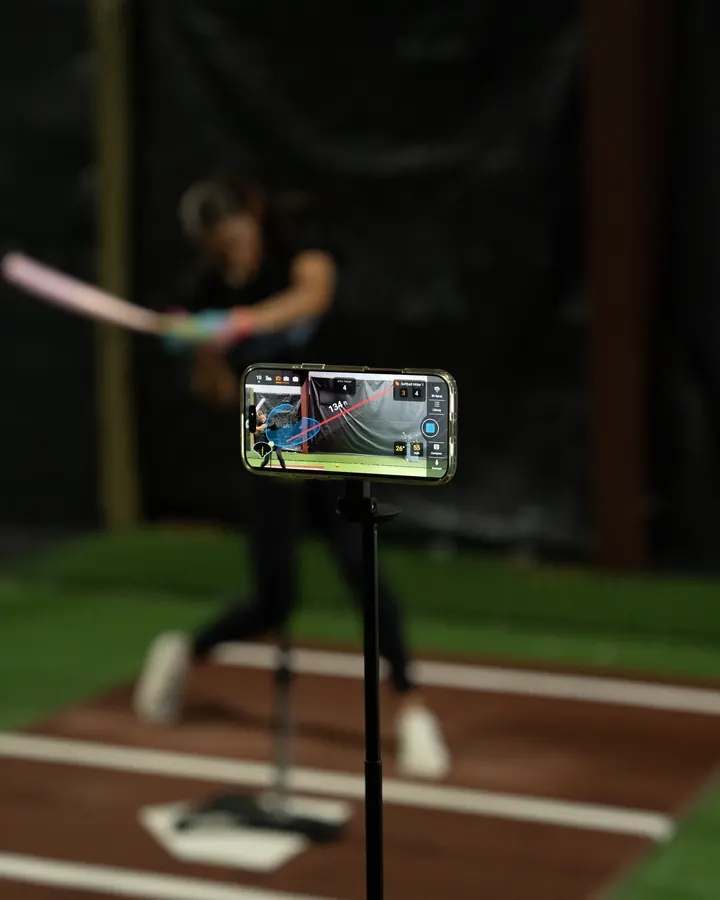
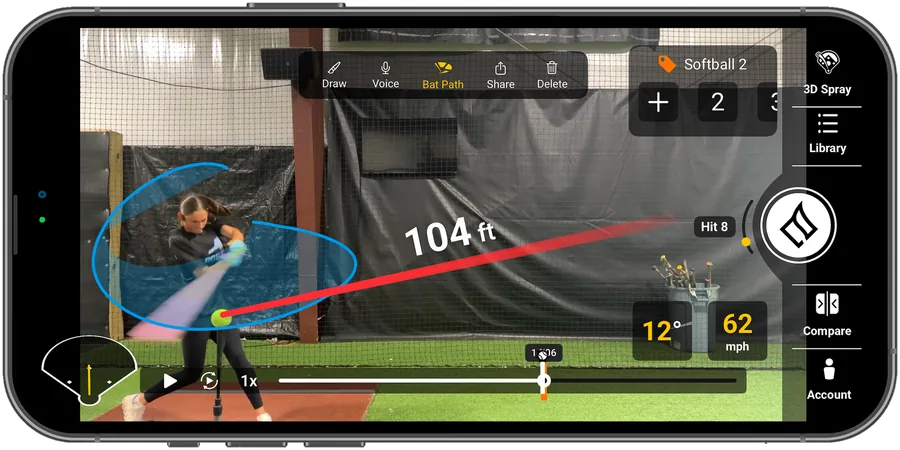
Measure the at‑bats that count
Record games from the stands and zoom in. Every live swing gets measured.
Zoom from the stands
Up to 10x on some Pro iPhones.
Real game numbers
Exit velocity, launch angle and distance off live pitching.
Saved with your practice
Game swings live next to cage swings.

Set up your phone. Start hitting.
- 01
Set up your phone
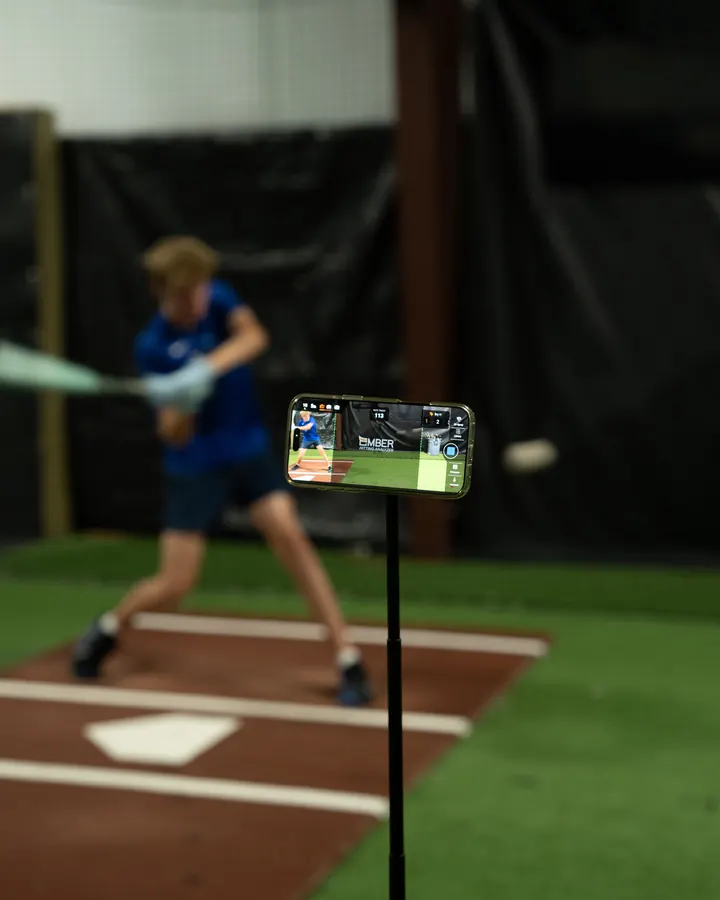
10 to 12 ft to the side of the plate, 3 to 4 ft in front of it.
- 02
Line up the hitter
Match the cutout on screen.
- 03
Take your swings
Tee, front toss, live BP or a real game.
- 04
Get your numbers
Every metric, seconds after contact.

“I've recently started using two amazing hitting tools from Ember Sports. They are absolute musts for any player.”
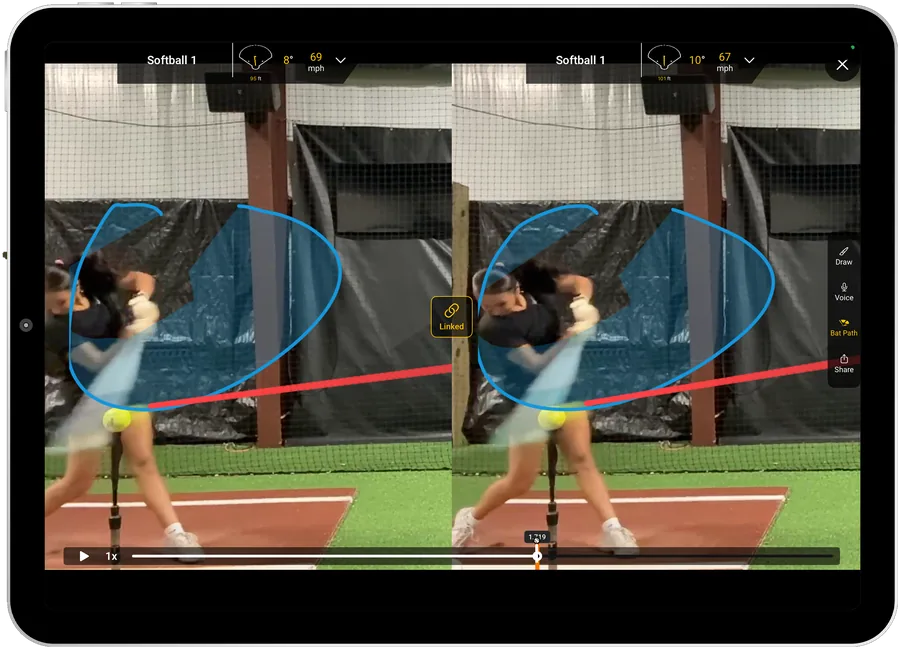
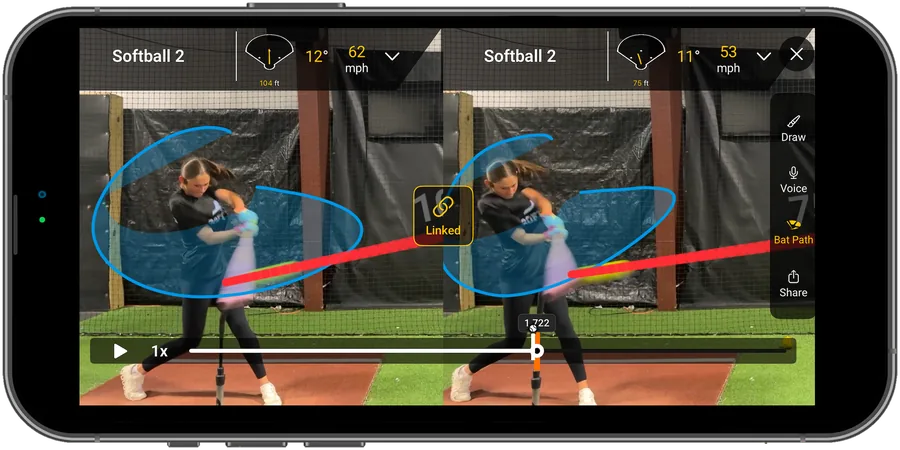
Compare any two swings
Two swings, side by side and in sync, frame by frame.
Bat path on both
Spot a long path or a dropped barrel.
Draw on the frame
Mark up hands, posture and contact.
Record and share
Send the breakdown to your coach.
See where it would have landed
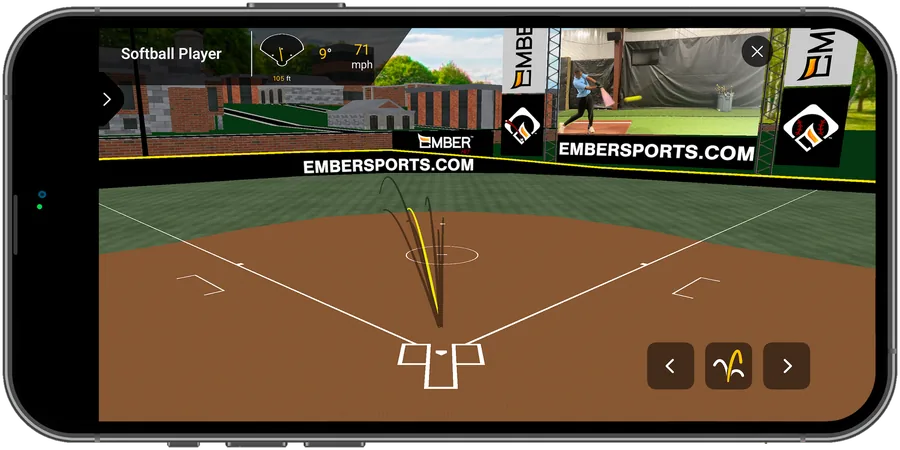
Hitting into a net? See the line drive, not the netting.
3D ball flight
Replay any hit's flight on a full-size field.
Estimated distance
How far it would carry in a game.
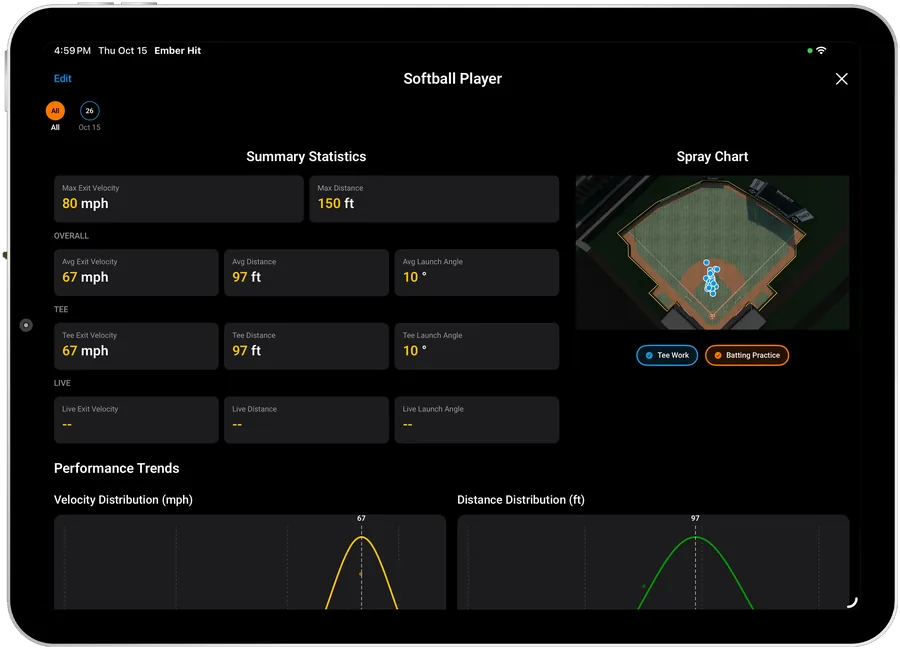
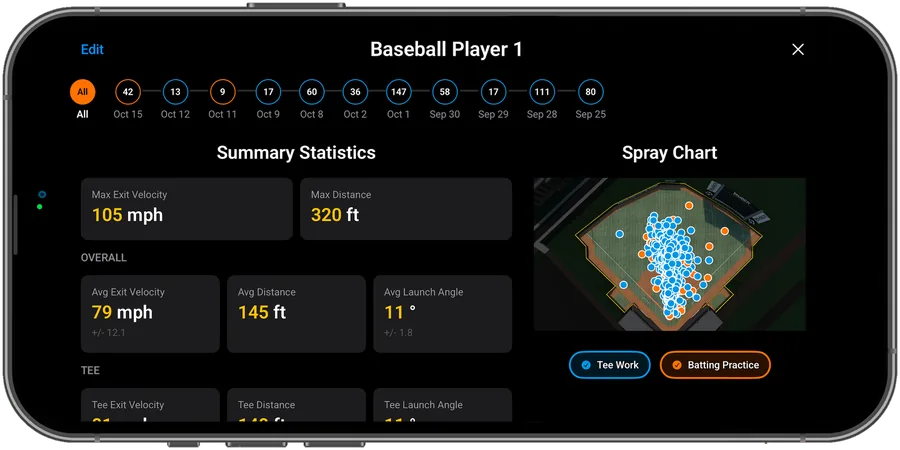
Spray chart
Every ball in play, by drill.
Every hit, saved
Your bests and averages update as you go.
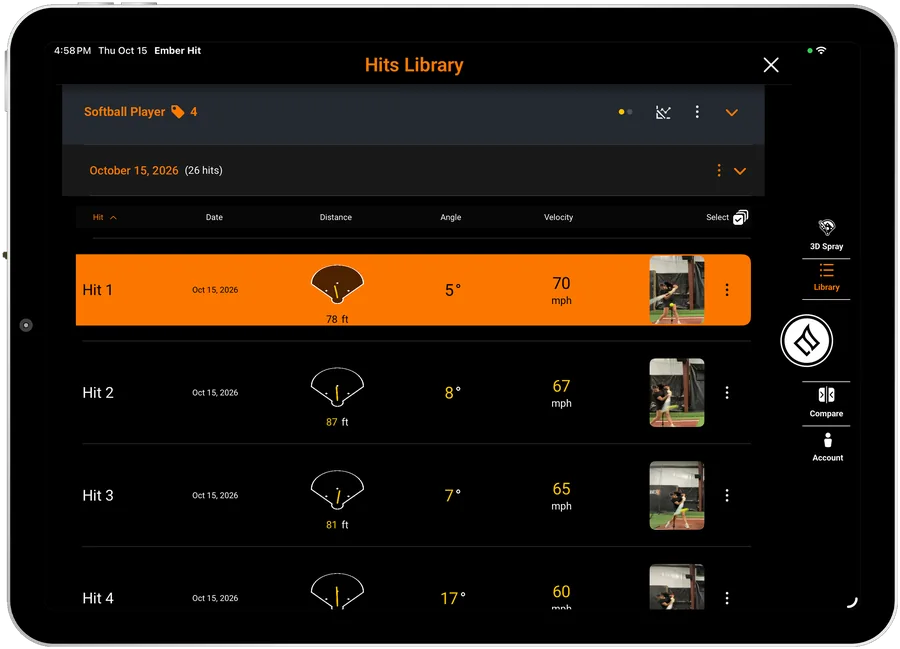
Hits library
Every hit's numbers, one tap from the video.
Summary statistics
Max and average, overall and by drill.
Performance trends
Where your swing really lives.
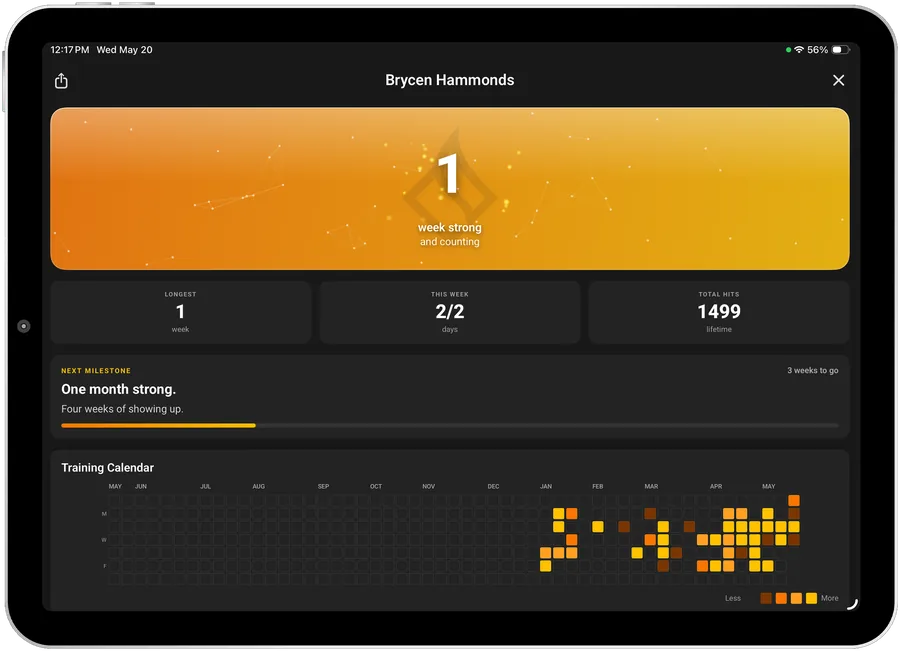
Show up. It counts.
Every session builds your streak and lands in Locker for your coach to see.
Training streaks
Weeks in a row and every day you hit.
Session reports in Locker
Every rep's numbers, as PDF or CSV.
Your team sees it
Join your team so your coach can follow along.

Try it free for 7 days
No radar gun or bat sensor. One Ember account works in both apps.
Running a team? See seat pricing
Hitting Analyzer
$12.99/month $119.99/year
After your 7-day free trial. Cancel anytime.
About $10 a month, billed once a year.
- 7-day free trial
- Every metric, in practice and games
- Your sessions in Locker
Hitting Analyzer questions
Where should I put my camera?
10 to 12 feet to the side of home plate, then 3 to 4 feet in front of it. Point the camera straight and make sure the hitter is lined up with the cutout in the app.
Do I need a bat sensor or radar?
No. Everything is measured from your iPhone or iPad camera.
Which devices support hands-free recording?
iPhone 14 Pro and newer, and every current iPad: any iPad Pro or iPad Air with an M-series chip, the iPad (A16) and the iPad mini (A17 Pro). Older models, like the iPad 10th gen and iPad mini 6th gen, tap to record each rep. Check yours with the Device Checker.
Which devices support front-facing recording?
iPhone 14 Pro and newer. iPads don't support front-facing recording.
Can I record real games?
Yes. Record from the stands and zoom in on the hitter. How far you can zoom depends on your iPhone, so check it with the Device Checker.
Does it work for softball?
Yes. The Hitting Analyzer works for baseball and softball.
Does it work without internet?
Yes. Swings are processed on your device.
Do I need another account for the Pitching Analyzer?
No. One Ember account works in both apps and in Locker.
Is there a free trial?
Yes. The Hitting Analyzer is free for 7 days, and you can cancel anytime. See pricing.
Your turn. Prove it.
Free for 7 days on iPhone and iPad.
Not ready to download? Create a free Locker account